
From the brand
GKU D700 Dash Cam
Your safety deserves nothing less than the best
-
-
GKU DASH CAM
-
-
Product description
GKU Dash Cam Front and Rear, 3.18” Touchscreen
Merchant Video
-
How to enable dashcam 24-hour parking monitor function?
To activate parking monitoring, the specific hardware kit ASIN:B0D7ZX3XK8 is required. It’s not part of the basic package but is crucial for safeguarding your car battery during parking mode. Reach out for assistance in getting! one!
-
Can the dash cam only be powered by the car charger? Can I use a USB cable instead?
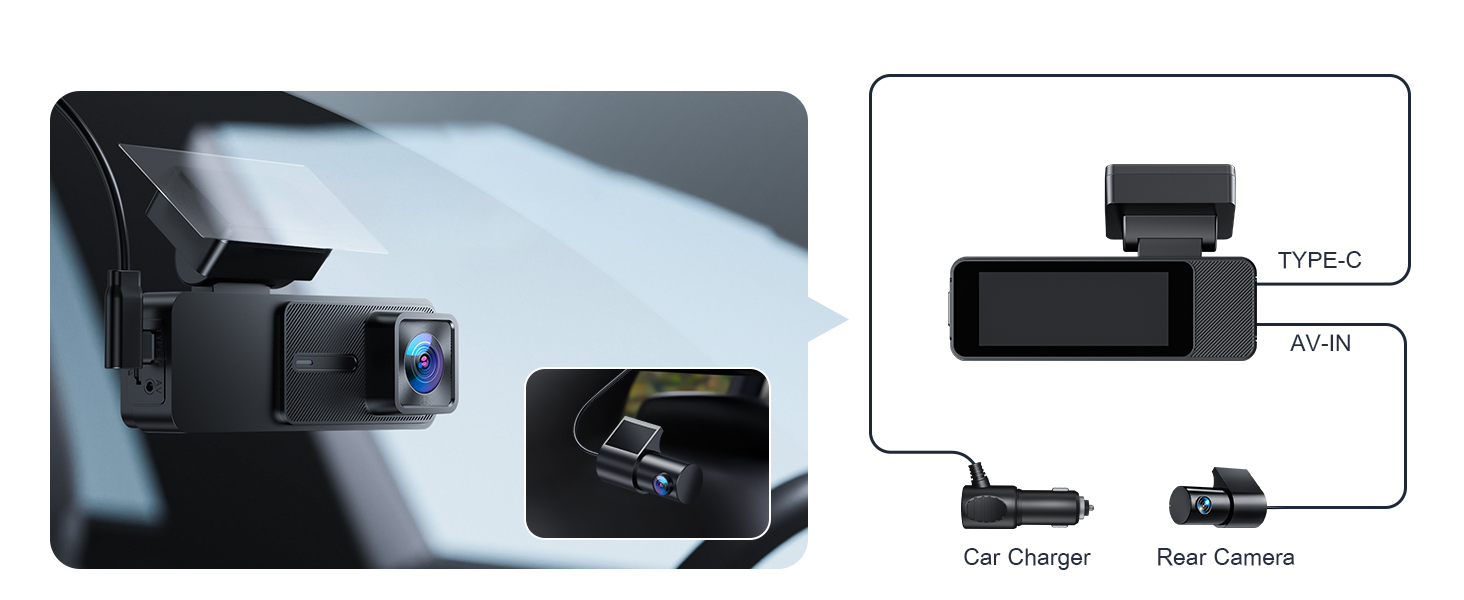
Yes, the dash camera for cars can be powered using a USB cable. If your vehicle does not have a cigarette lighter socket, or if your own USB cable cannot supply power properly, you can reach out for assistance in getting one!
-
Do I need to purchase a memory card separately? What size of memory card can I use?
No, you don’t need to buy a memory card separately. The dash cam comes with a pre-installed 64GB microSD card. It supports memory cards up to 512GB, but using a 64GB or 128GB card is recommended.
-
Do I need to stay connected to the dash cam’s Wi-Fi while driving?
No, you don’t need to stay connected to the dash cam’s Wi-Fi while driving.
The dashcam will continue recording automatically as long as it’s powered on. Wi-Fi is only needed when you want to view or download footage, or adjust settings.
-
Can screen be set to turn off on it’s own?
Yes, you can adjust the Auto Screen Off Function within the app settings.


Reviews
There are no reviews yet.